One model, one program

Nine modes in one window.

Move between them without exporting anything.

01 · 02 — Site, BuildBuild

  • Draw walls, rooms, roofs, stairs and decks the way a building game works: click, drag, it snaps.
  • A structural grid you drag line by line, with named levels (Floor, Eaves, Ridge).
  • Steel starts as a skeleton: centre lines, rigid links and supports. Members and connections follow the lines.
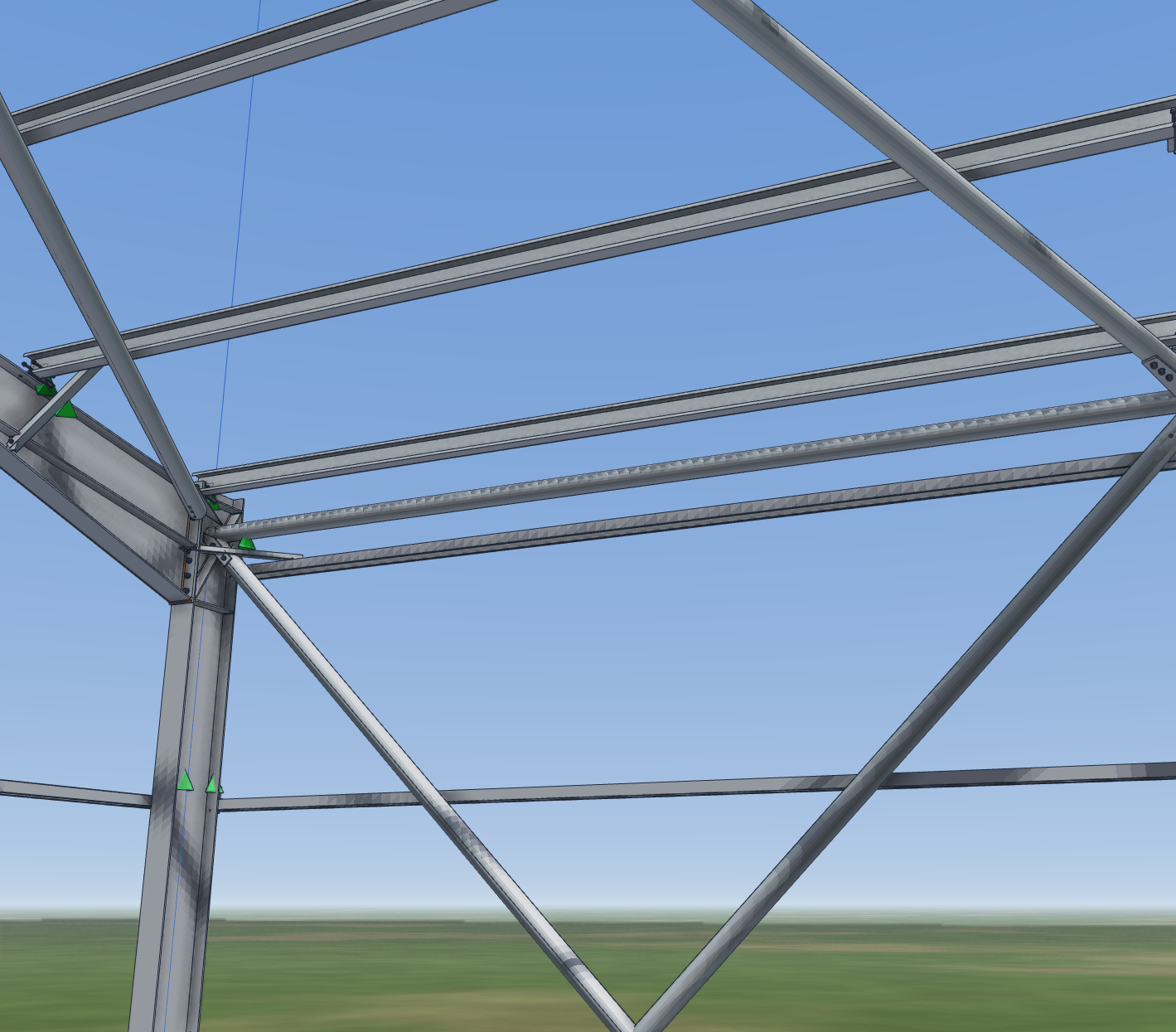
  • Skins are the roof and wall planes. Drag one 200 mm and the purlins, girts, cleats and sheeting follow.
  • Foundations come with the house: a strip under every wall, column bases on the grid, and a ground-cut view.
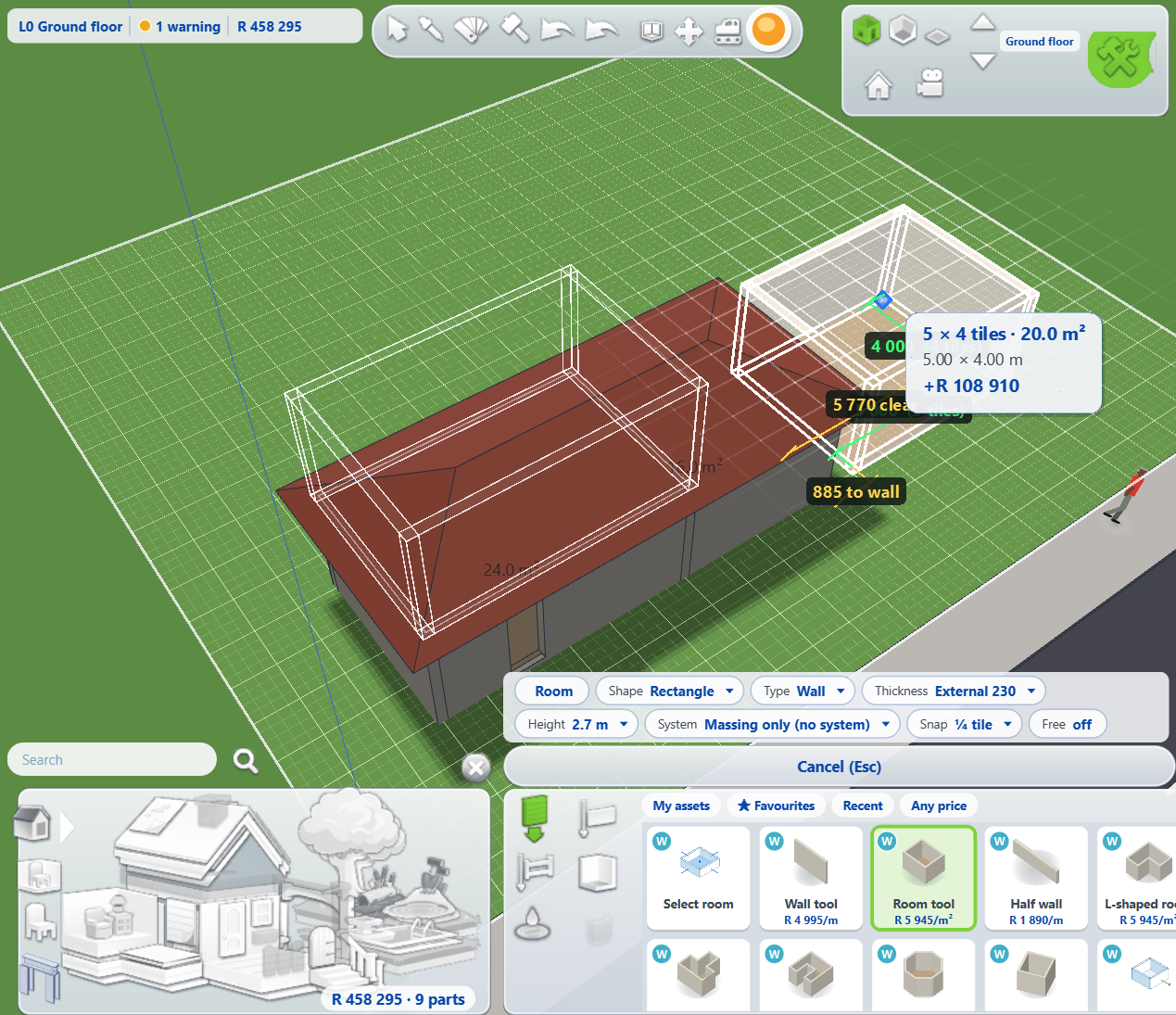
A room being dragged out in Build mode, priced as it grows, with the tool palette below
Purlins on cleats with fly braces at a warehouse knee
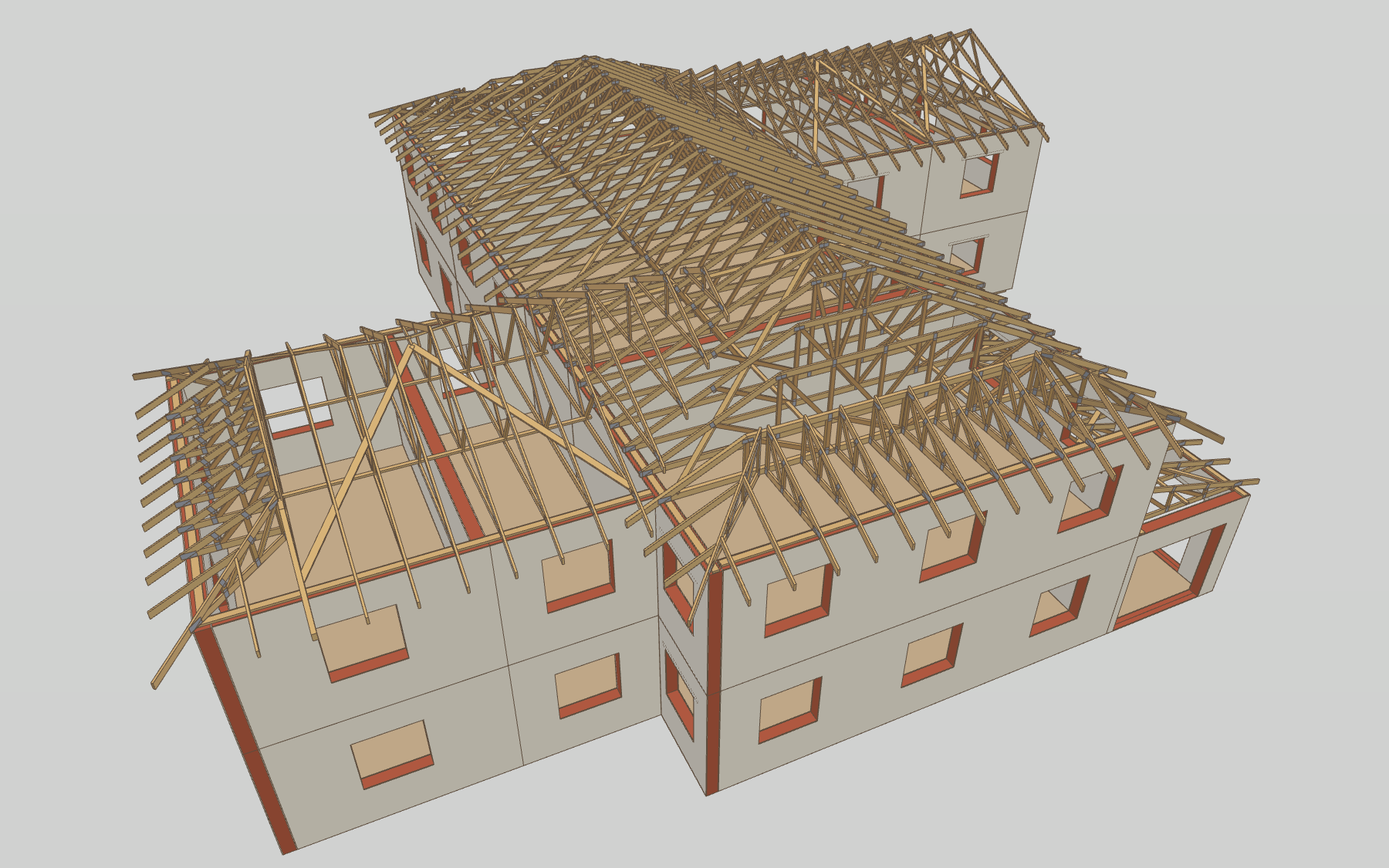
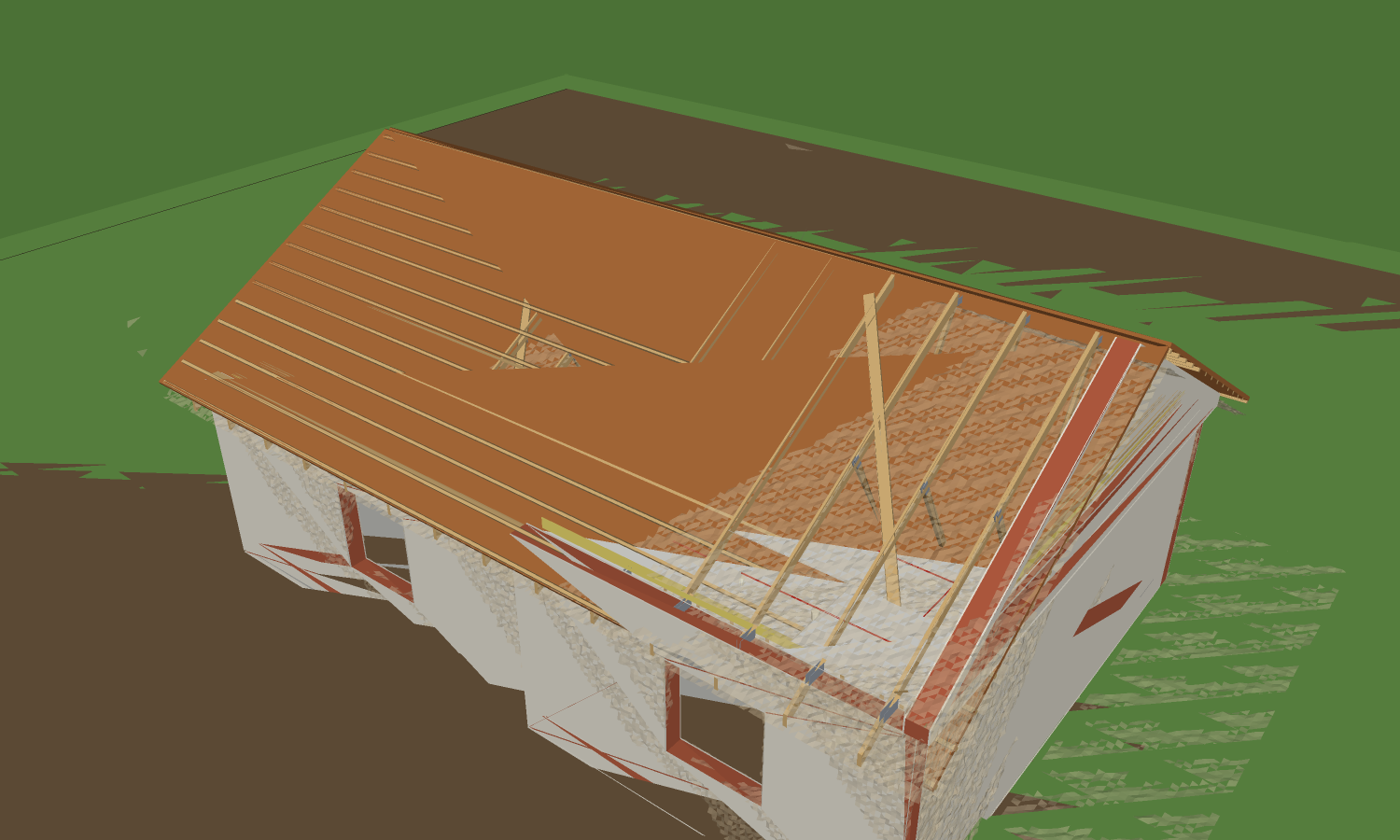
A house with its roof covering removed, showing every truss
A room priced as you drag it; every purlin turned to the slope on its cleat; a roof's trusses laid out from the skins.

Beside the stripModel

  • Make the part that is not in the catalogue: a bracket, a gate. Save it as an asset and place it in Build.
  • Components: edit one and every copy changes. After numbering, "select all the same as this" by mark, section, group or connection kind, and change them in one step.
  • Reference models: snap to someone else's model and keep it out of your lists, drawings and quantities.
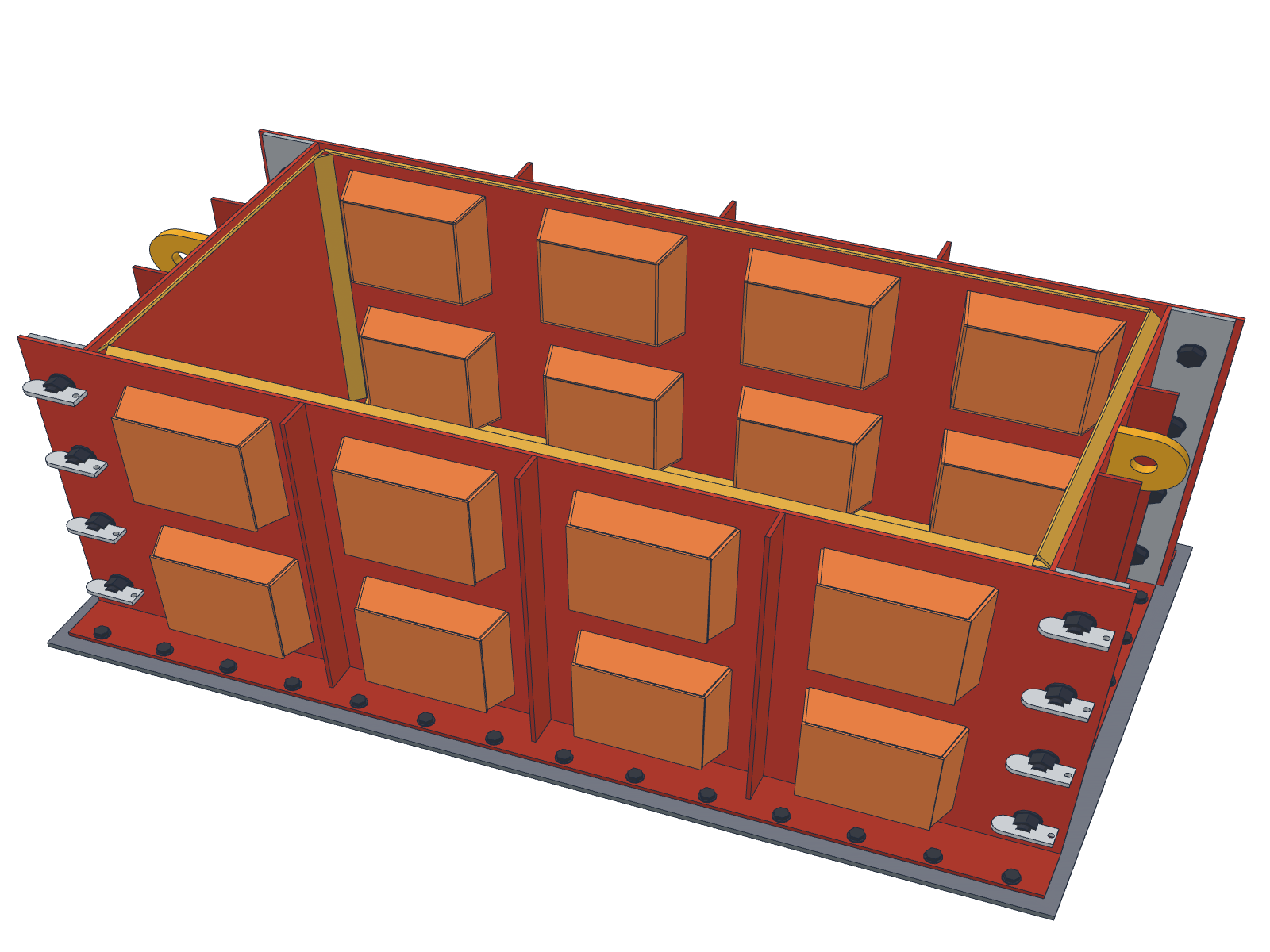
A steel block mould modelled part by part, with stiffeners, lifting lugs and bolts
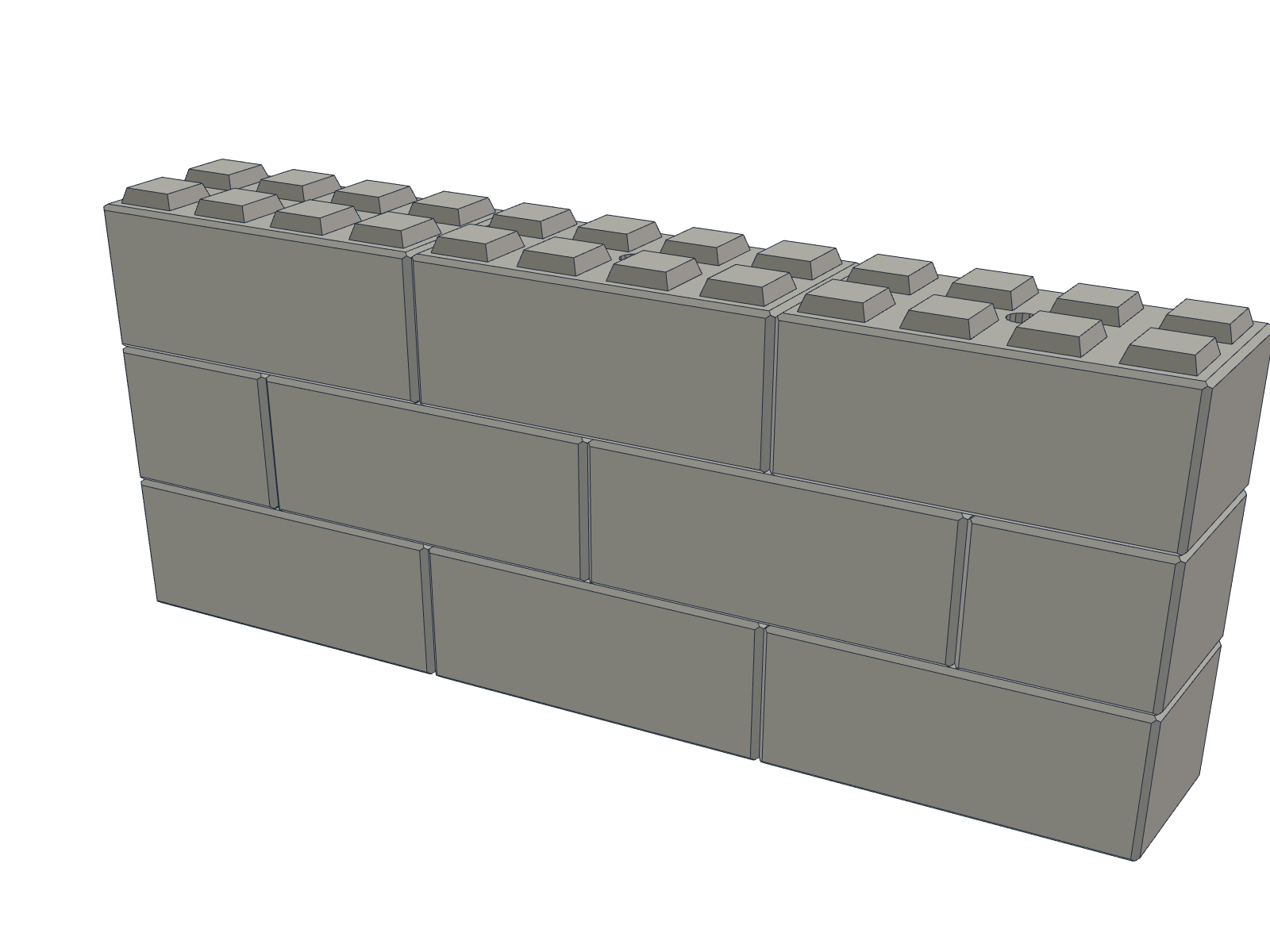
A wall of interlocking concrete blocks cast from the mould
A block mould modelled from plate, and the wall its blocks build.

03 — CheckEngineer

  • Our own analysis solver: frames, shells, second-order effects and buckling, with loads to SANS 10160 including wind by zone.
  • Steel to SANS 10162-1, cold-formed purlins and girts to SANS 10162-2, concrete to SANS 10100-1, timber to SANS 10163-1.
  • Three analysis methods side by side: elastic, haunched, and plastic hinge. The engineer picks the one to issue.
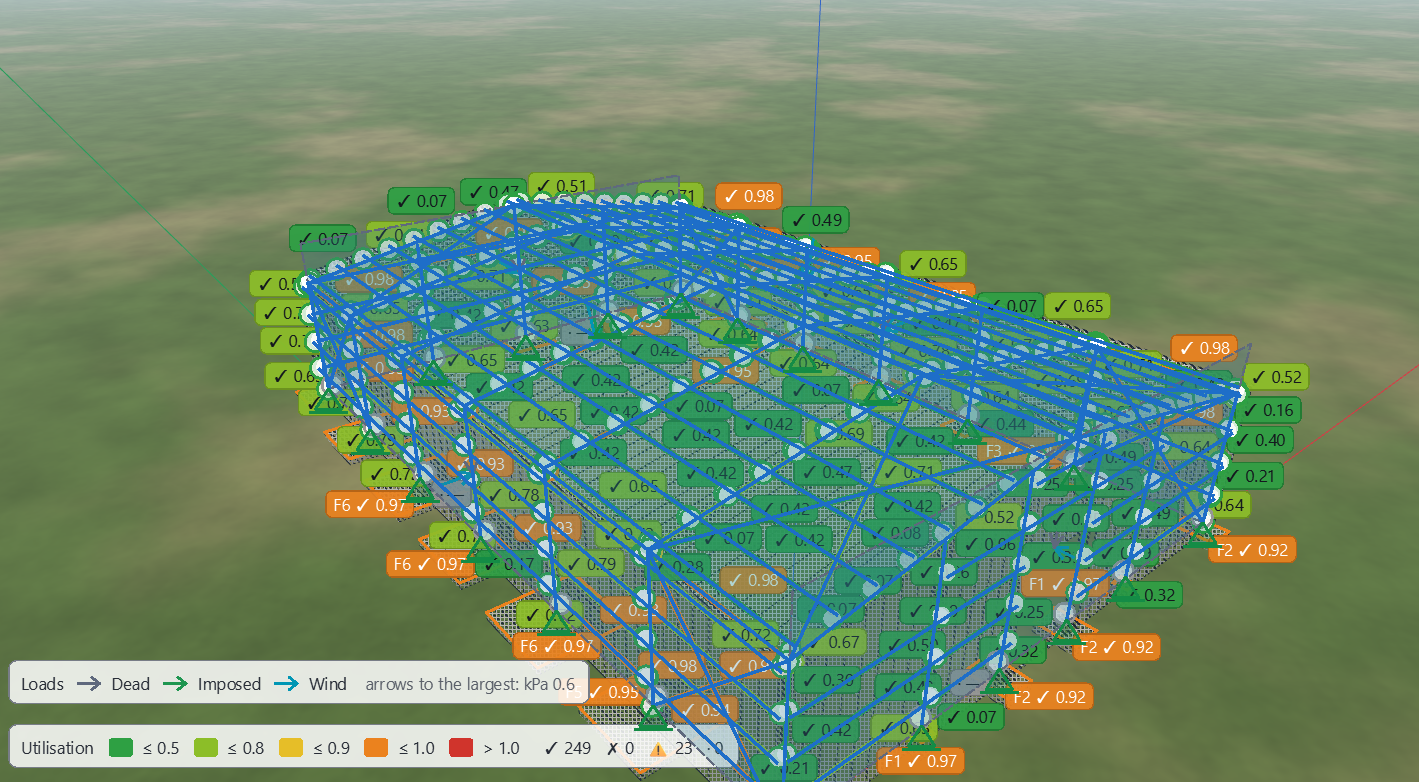
  • Results sit on the model: utilisation on every member, diagrams with values, a warnings list that offers the fix ("Use lightest").
  • Foundations from the load takedown. Connections from pre-designed ladders, with base plates checked two ways.
A warehouse after sizing, every member coloured by utilisation, with the design panel beside it
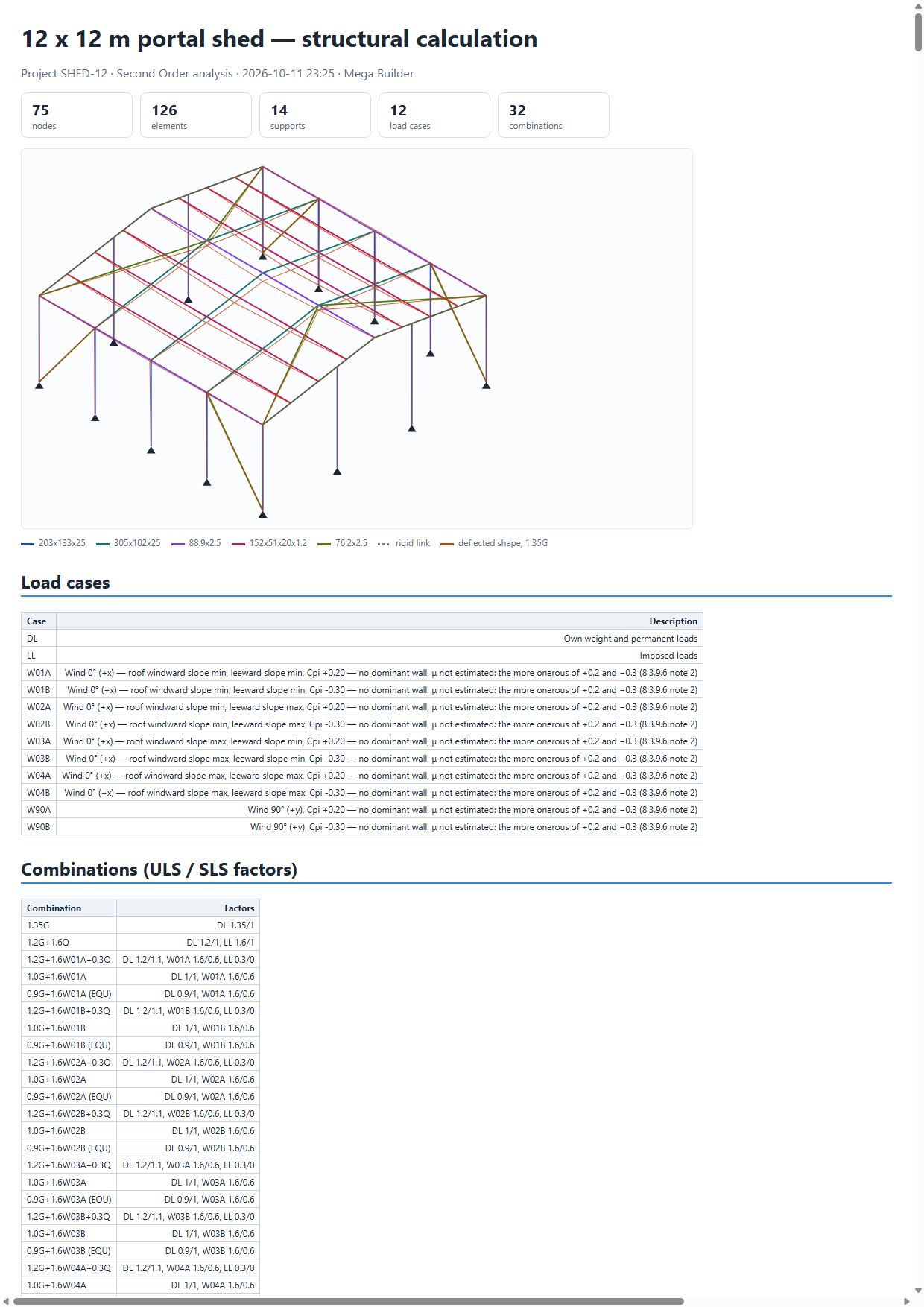
The first page of a calculation report: model, supports, load cases and combinations
A design report: every check, its result, the governing value and the clause
Utilisation on the model after one click of Size; the calculation pack and the design report behind it.

04 — Draw (Paper)Draw

  • General arrangements, shop drawings per part and per assembly, sub-assembly sheets, foundation packs with rebar schedules.
  • A black-and-white council set on A3 or A1, and a colour presentation set.
  • Revision clouds, issue numbers, transmittals, one PDF per set.
  • A drawing checker reads every sheet as a checker would. A set with failures asks before it is issued.
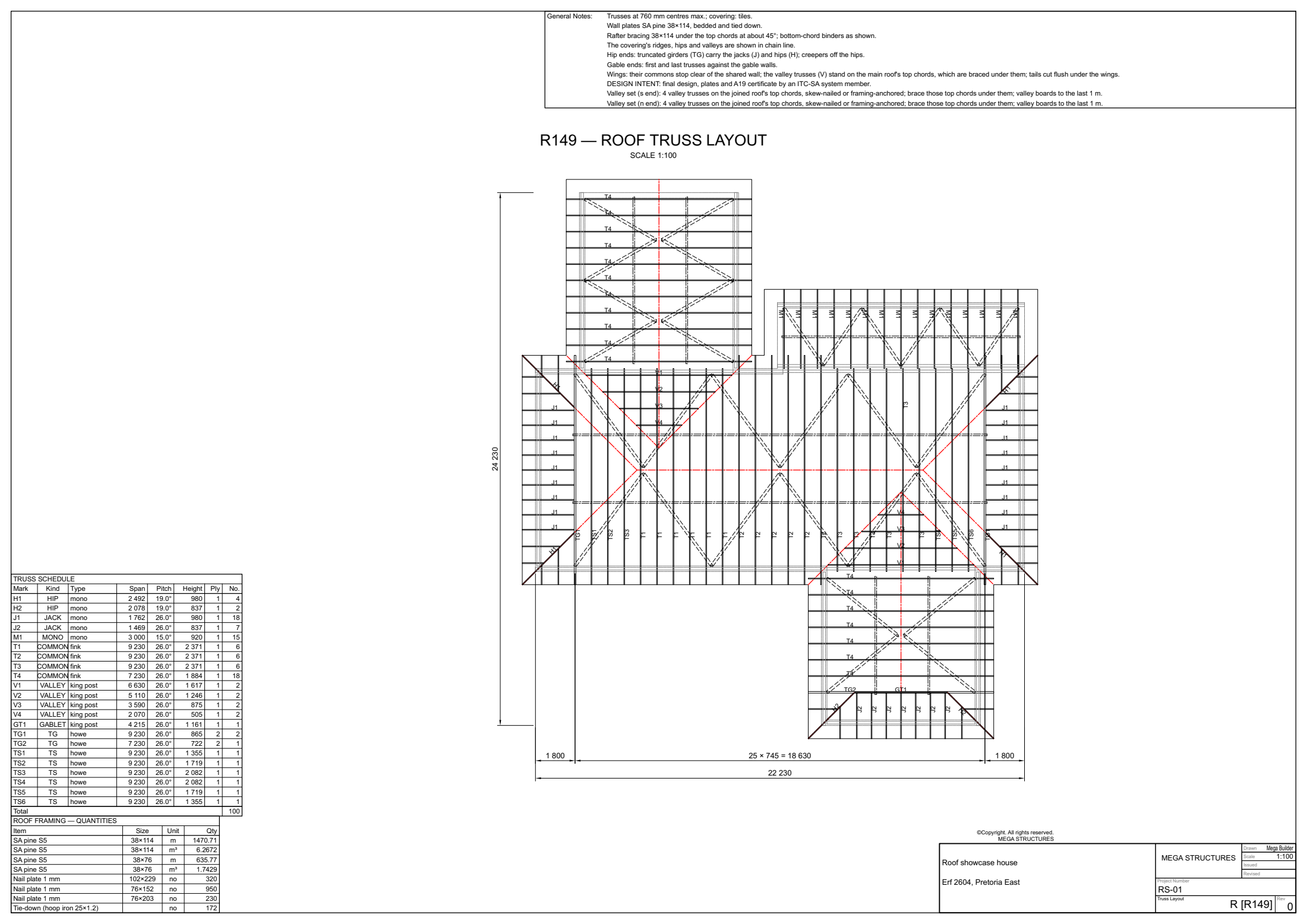
A roof truss layout sheet: roof plan with every truss mark, spacings, the schedule and the notes
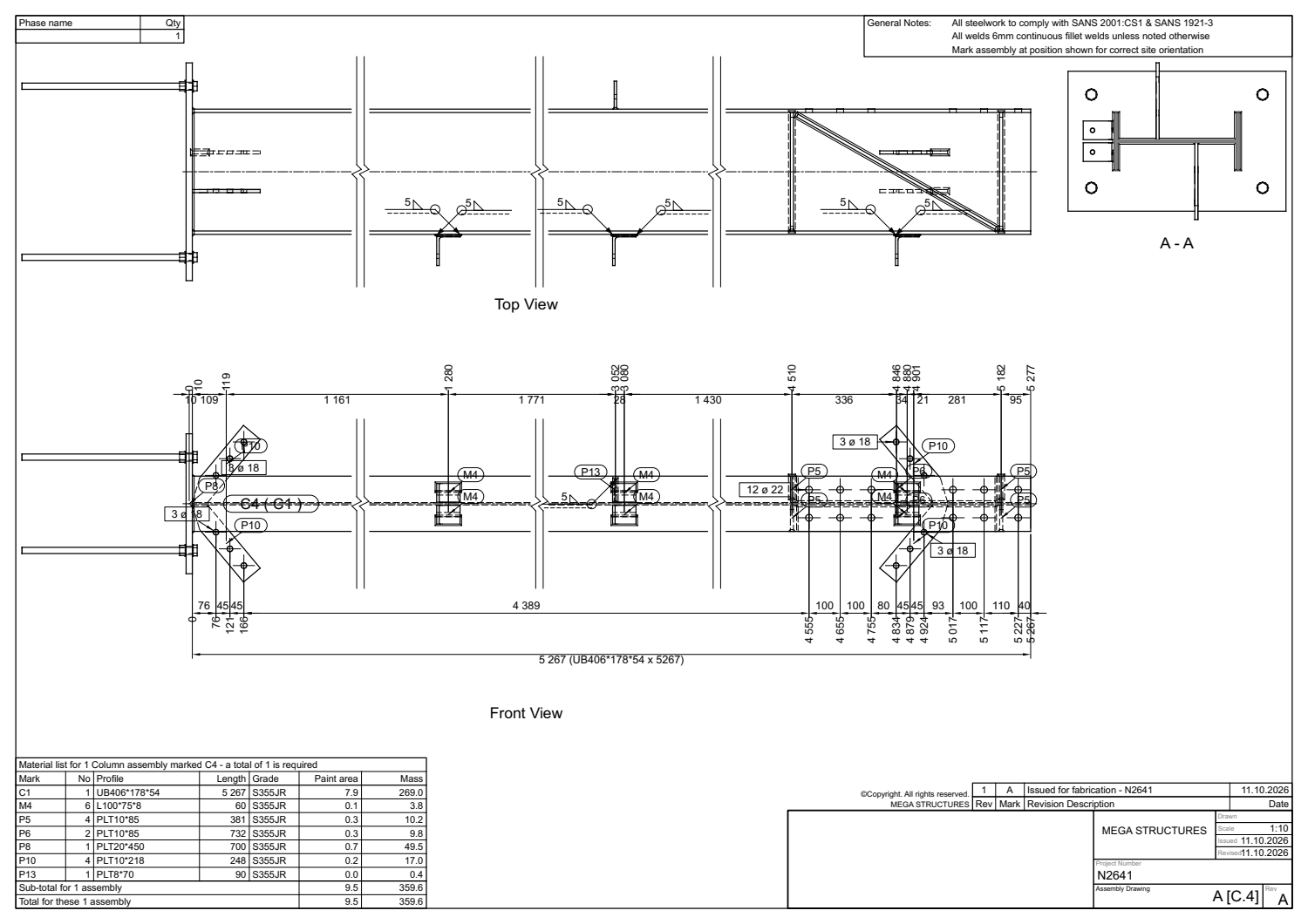
A steel assembly drawing of a column
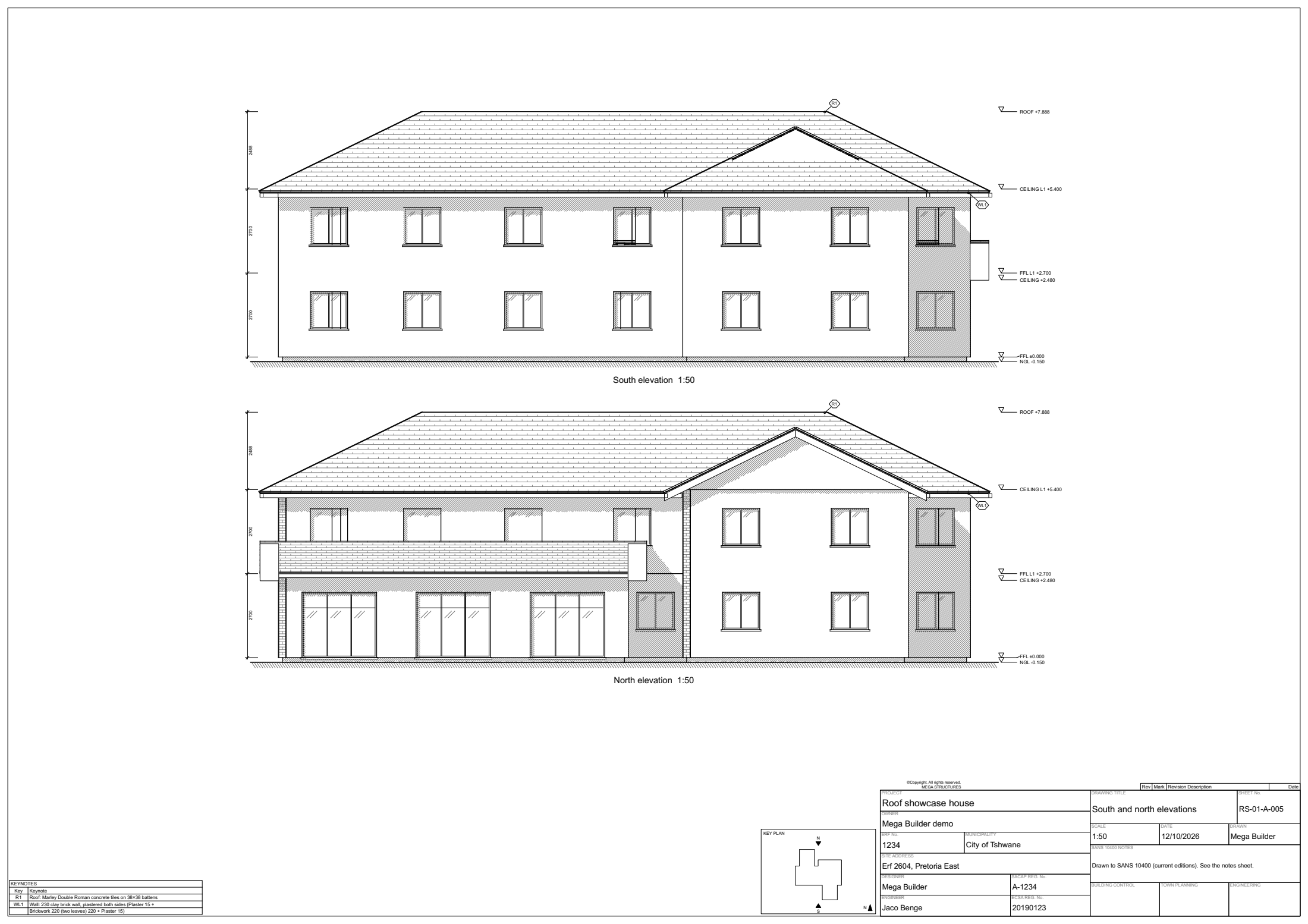
South and north elevations of a house at 1:50, from the council set
A truss layout for site, an assembly sheet from the fabrication set, and elevations from a council set.

05 — Quantify, BudgetQuantify and Budget

  • The bill is measured from the model: steel, bolts, concrete, rebar, cladding, systems.
  • A pure-cost rate book. Transport, offloading and mark-up are added per item at quote time, never buried in the cost.
  • Split quotes: engineering, supply, installation. Payment claims per lot, in installation order.
  • A programme built from measured output speeds, with critical path and South African holidays.
  • Client documents are scanned before they go out, so no supplier name or internal wording leaks.
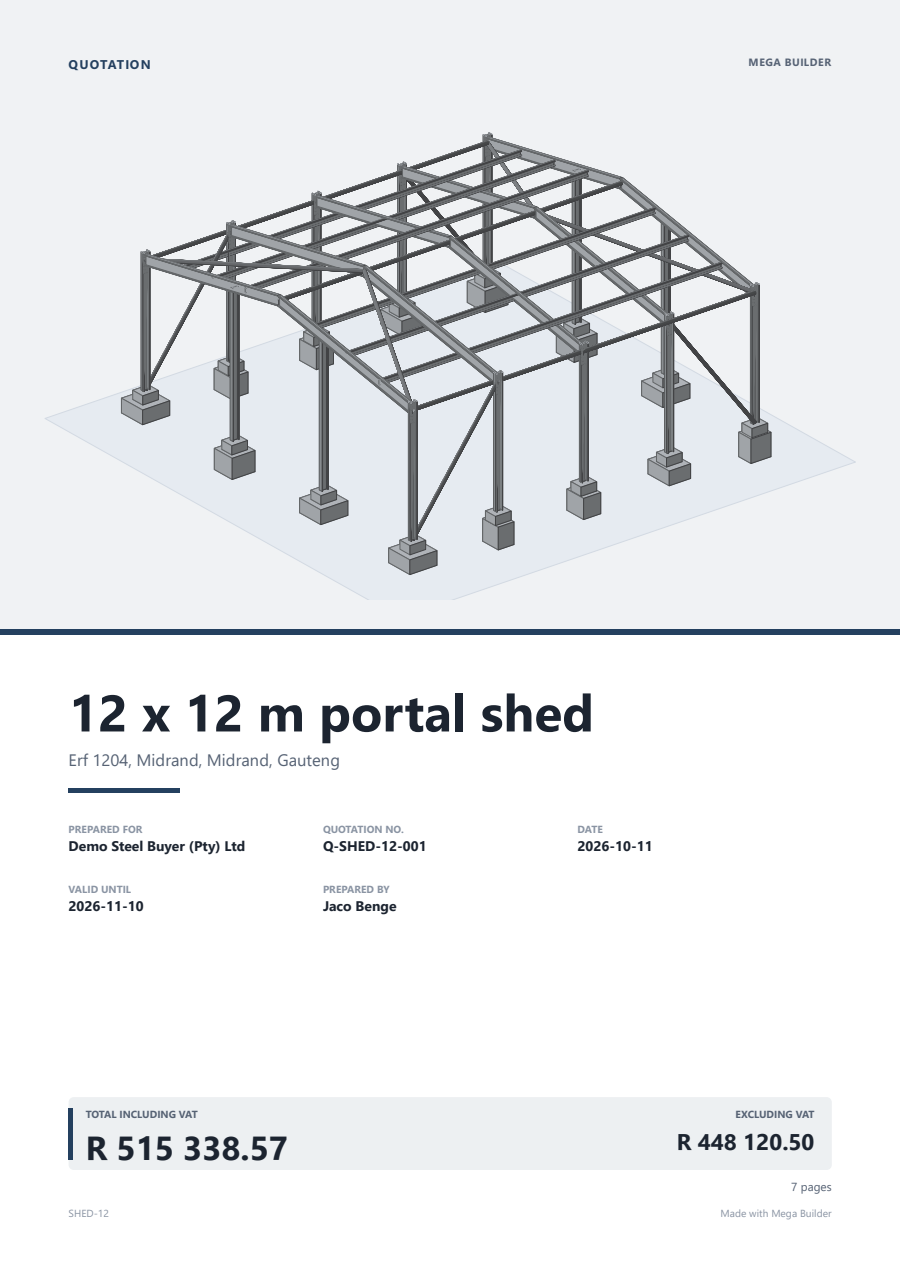
The cover page of a client quotation with the model, the totals and the payment terms
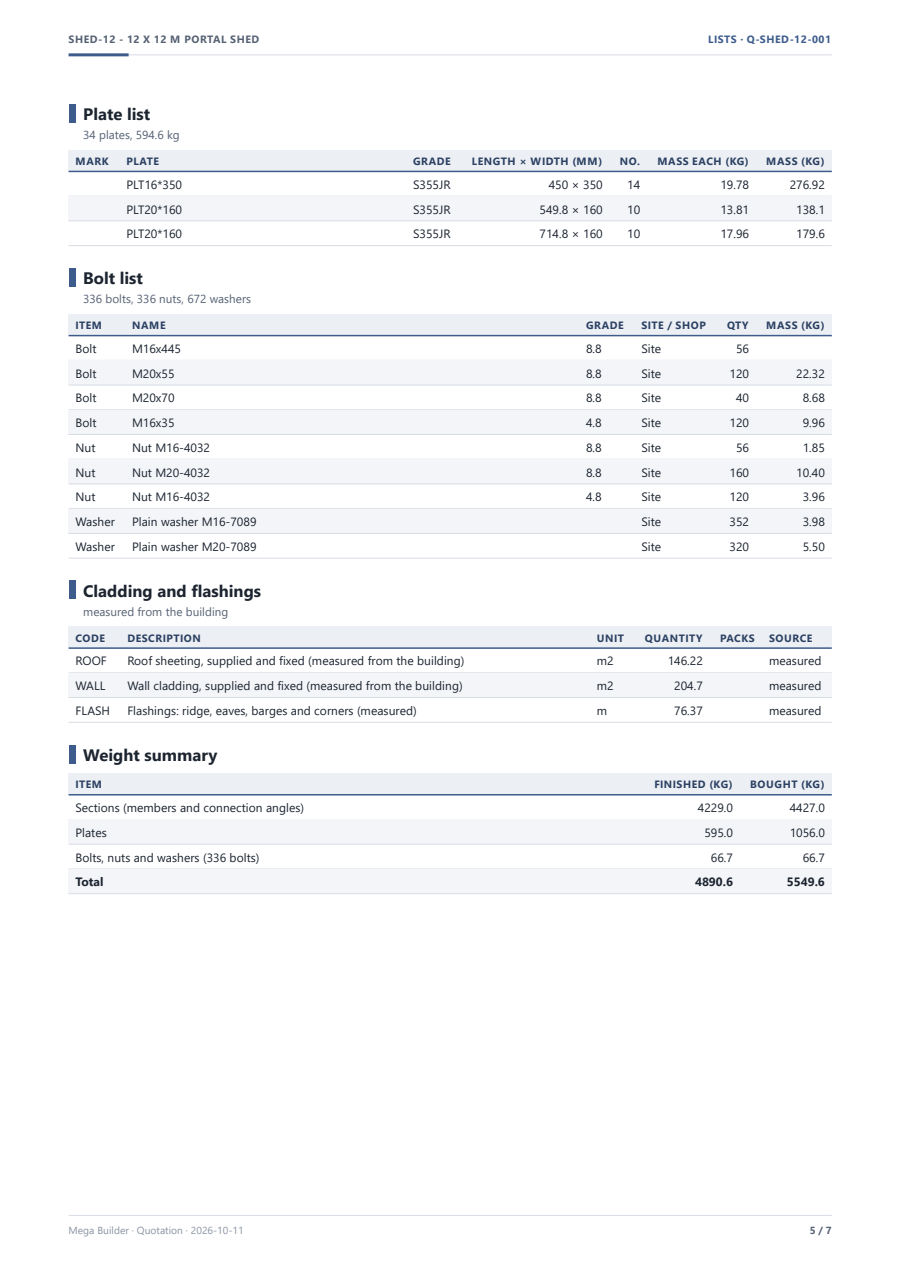
The priced lists inside the quotation
The client quotation and its priced lists, measured from the model.

06 — MakeMake

  • Part marks and numbering. Bolt, stock and plate lists.
  • DSTV NC files for the saw and drill line. Laser-ready DXF with fit-up scribe lines.
  • Nesting with lead-ins and cooling points, written straight into the laser controller's own file format.
  • MegaNest, a stand-alone nesting program, sends jobs to the laser over the network or by USB.
  • Router CAM for boards, and a cabinet builder for kitchens and cupboards.
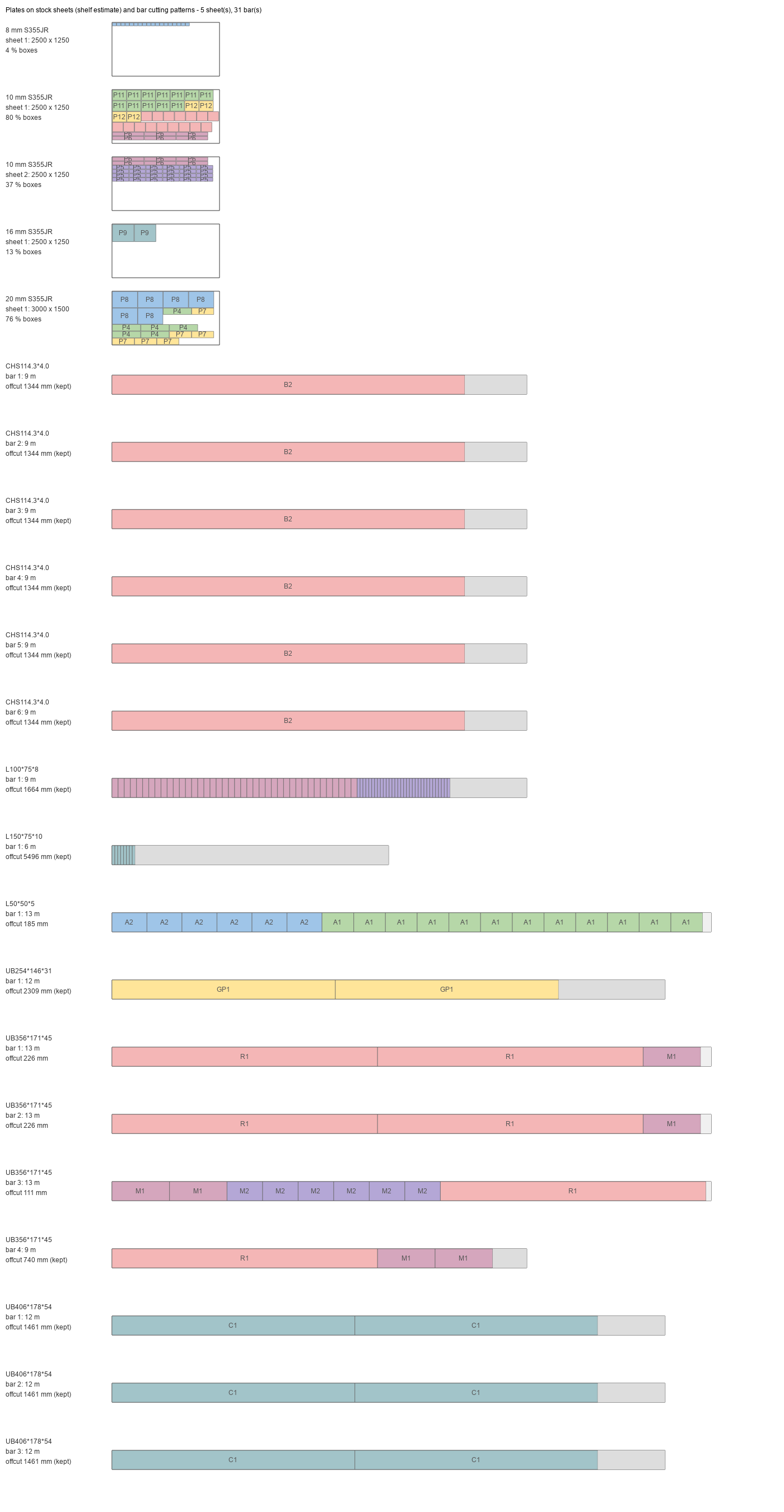
Plates nested on stock sheets and bar cutting patterns, with offcuts kept
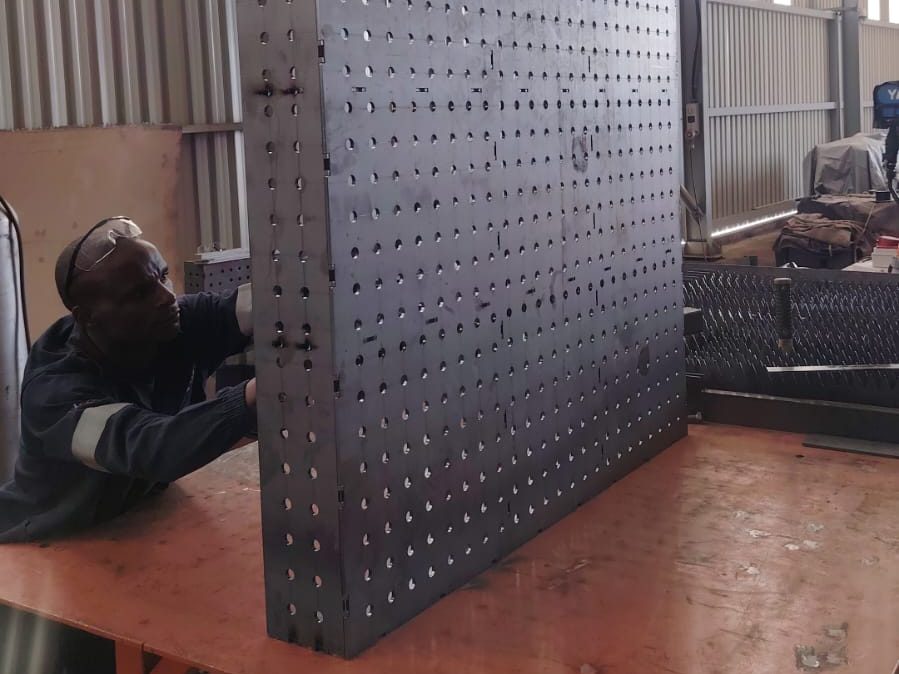
A welding table fabricated from the nested plates, standing in the workshop
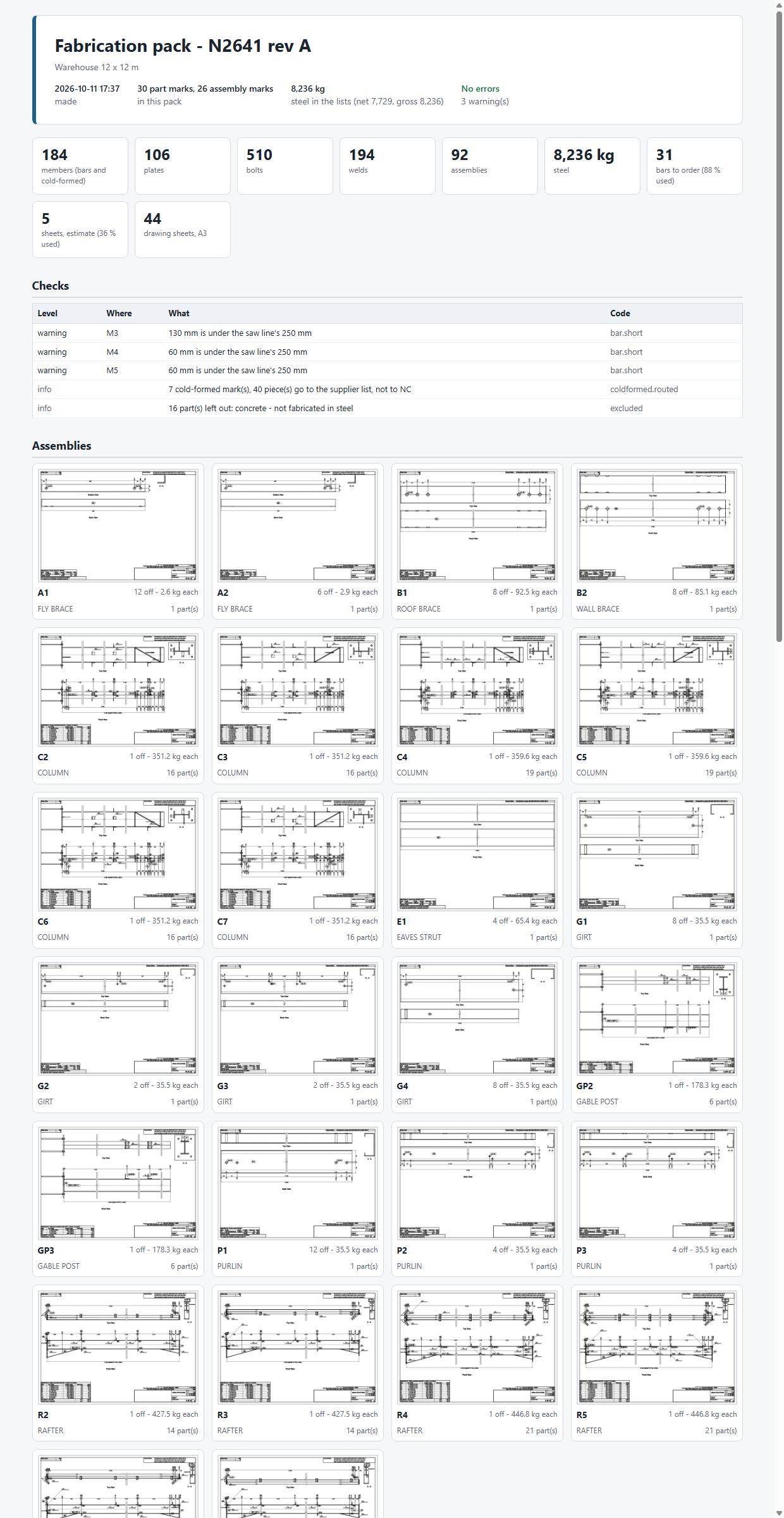
The fabrication pack summary: part and assembly marks, steel mass, checks and warnings
Plates on stock sheets and bars cut to pattern; the welding table they became; the fabrication pack that lists it all.

07 — ExecuteExecute

  • The programme, with progress rolled up from the model.
  • A claims register: planned, claimed, invoiced, paid.
  • A compliance pack against SANS 10400 rules, and inspection records.
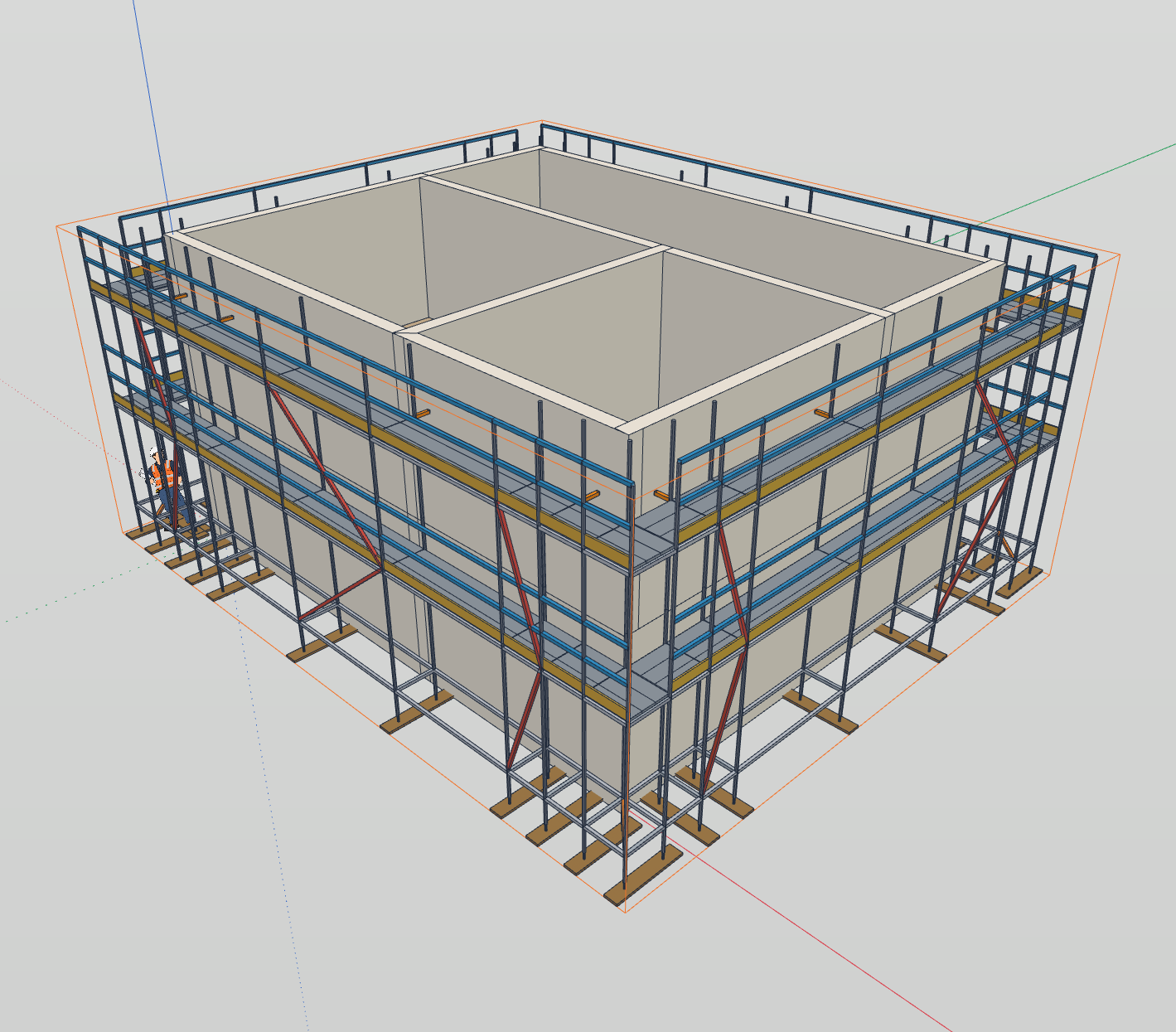
A house wrapped in a system scaffold with lifts, boards, guard rails, braces and ties
A scaffold configured from the building's faces, checked to SANS 10085-1 and drawn up for the site crew.

Beside the stripPresent

  • Scenes, a walk-through path, a 4D build sequence, 360-degree views and presentation sheets.
  • Send to Twinmotion or SketchUp. Export 3D DXF for AutoCAD.
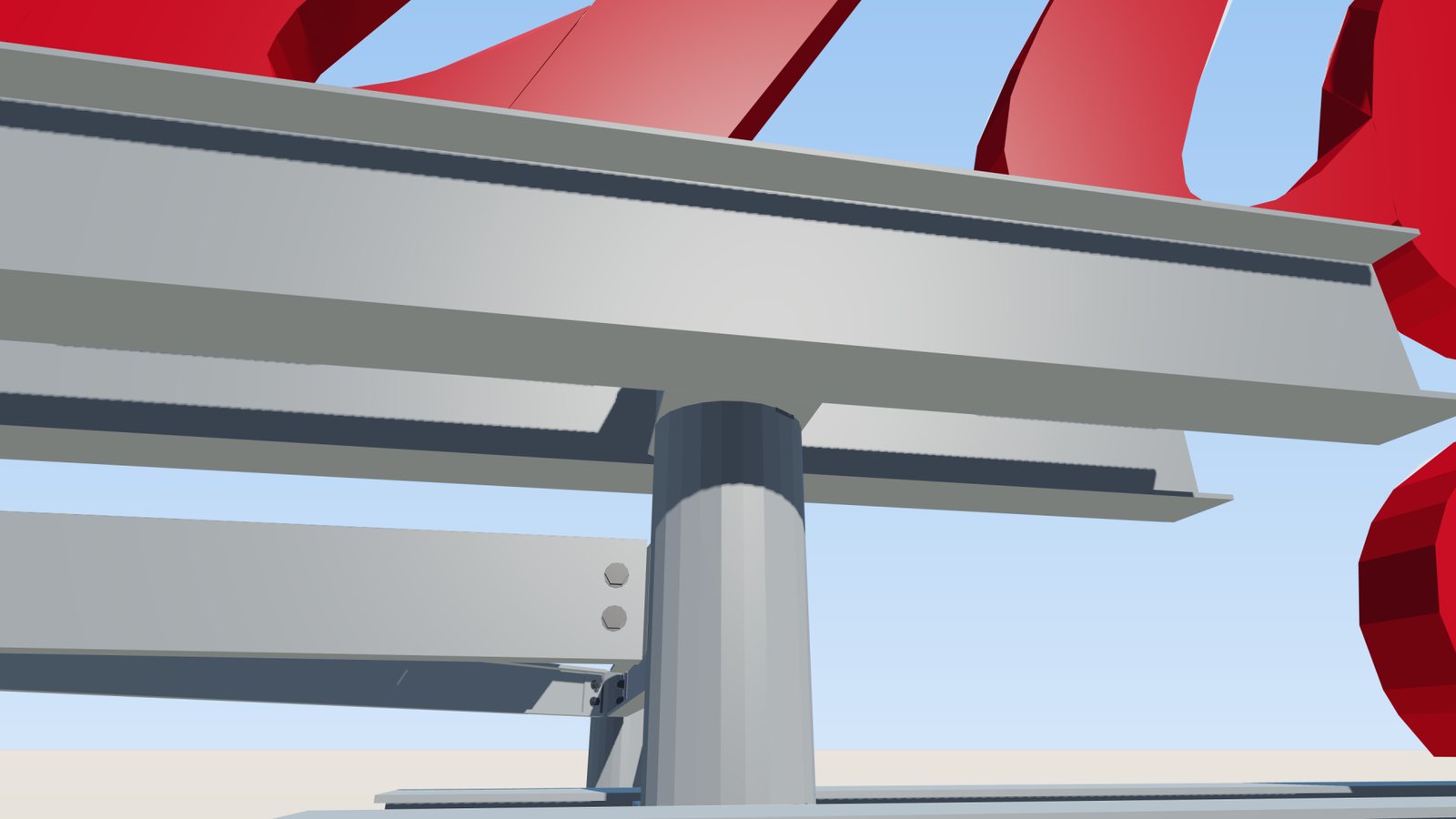
A beam-to-column joint shown in colour, as presented to the client
A joint shown to the client in colour before the drawings were issued.

Getting it inBring in what you already have

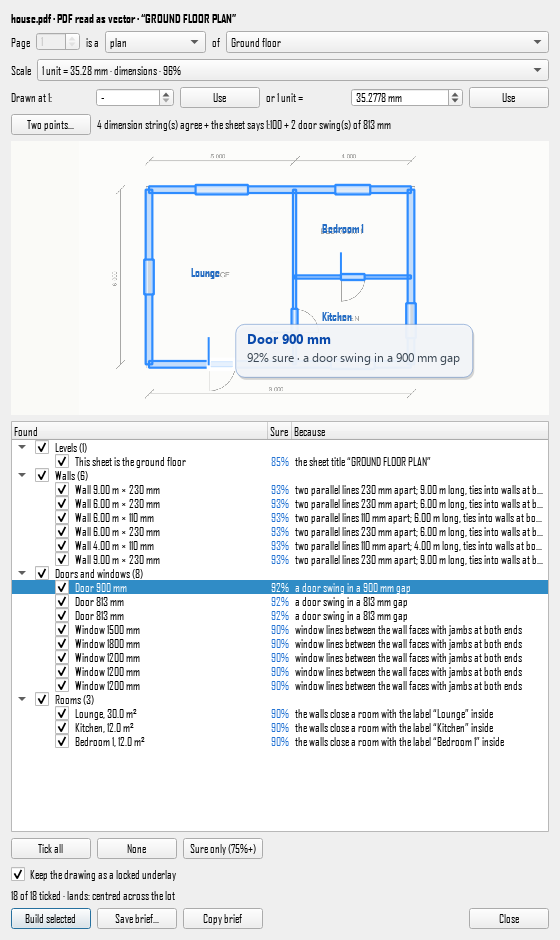
  • Your drawing as PDF, DXF, DWG or picture: walls, openings, grids and members are found, each with a confidence, and you tick what is right.
  • An iPad scan of a house becomes walls, openings, levels and roof, with a colour check against the scan.
  • A Tekla model folder comes in as real steel with its marks, holes and welds.
  • Everything saves to our own .mbf file.
The review panel listing walls, openings and rooms recognised from a PDF plan, each with a confidence
A house built from an iPad scan, standing on the see-through scan it was read from
What the drawing reader found, with a confidence for each item; a house built from a scan, standing on the scan.

See it on your drawings.

Send a PDF, a sketch, a scan or a site address.

Ask for a demo